SaveLocal copies the file on your phone and never uploads it. Your files, file names and save history stay on the device. There is no account and no ads. The app counts anonymous usage, such as how many files were saved, but never names or contents, and uses Meta's SDK to measure installs where permitted.
The question to ask any app
WhatsApp messages and files are end-to-end encrypted in transit. That protection is about the journey. When you save a file out of WhatsApp, you are making a copy that sits on your phone, and the question is what the app doing the saving does with it. A cloud-based save tool could send the file to its own server. A phone-only tool should not.
What SaveLocal does
- It copies the file on the phone to your Downloads folder, or a folder you chose. It never uploads it.
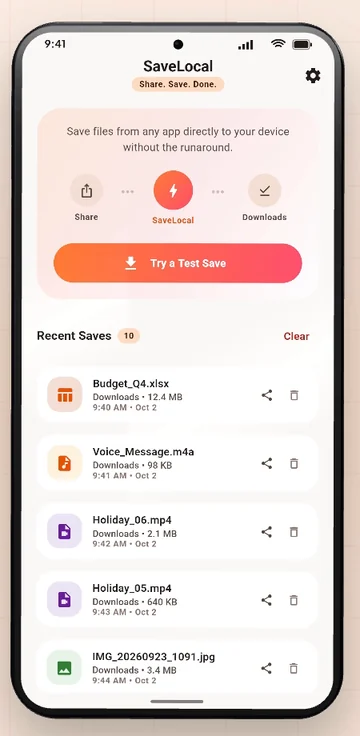
- Files, file names and save history stay on the device. The Recent Saves list stores details, never the files themselves, and you can clear it.
- No account. No sign-up, name or email.
- No ads. There is nothing in the app that shows advertising.
- Works offline. It does not need a connection to save.
- Minimal permissions. No storage permission on Android 10 and newer. See storage permission explained.
What it counts
The app counts anonymous usage, such as how many files were saved, but never names or contents. It uses Meta's SDK to measure app installs where permitted, which tells the developer whether an ad led to an install. The full detail is in the Privacy Policy and Data Safety page on this site, which describe what is collected and why.
After the file is saved
Once a file is in Downloads, it behaves like any other file on your phone. It is outside WhatsApp's private area, so your file manager can open it and apps you give file access to may see it. That is the point of saving it, and it also means you should look after it:
- Use a screen lock on the phone.
- Be careful about which apps you give file access.
- Keep sensitive files in a folder you control, and move them to an encrypted place if needed.
- When you share a file on, think about who receives it.
- Delete files you no longer need.
How to check any file app
- Does it need an account, or internet, to save a file to your own phone?
- What permissions does it ask for in Settings, Apps?
- Does the Data Safety section on its Google Play page say it shares or collects file data?
- Does it have a Privacy Policy that matches?
What it is not
SaveLocal is not a file manager, and not a backup service. It saves what another app shares with it, so what you get depends on what that app provides. You are responsible for having the right to keep the files you save. Keep separate copies of anything important.
Questions people ask
Does SaveLocal upload my files?
No. It copies them on your phone and never uploads them.
Does it need an account or internet?
No account, no internet and no ads.
What data does the app collect?
Anonymous usage counts such as how many files were saved, never names or contents, plus Meta's SDK for measuring installs where permitted. See the Privacy Policy and Data Safety page.
Is a saved WhatsApp file still encrypted?
Encryption covers the file in transit. A saved copy is a normal file on your phone, so use a screen lock and be careful which apps can read your files.
Can I clear the Recent Saves list?
Yes. The list stores details only, and clearing it never deletes the files.
Is SaveLocal a backup tool?
No. Keep separate backups of important files.
Keep reading
Copy, never upload
SaveLocal is free on Google Play. No account, no ads, no upload.

For reference. Steps and screens described here are as they appear in SaveLocal, and menu names and folder paths can differ between phone makers and versions of Android and WhatsApp, so check them on your own phone. SaveLocal saves what another app shares with it, so the result depends on what that app allows. It is not a file manager and not a backup service, so keep separate copies of anything important. You are responsible for having the right to keep the files you save. WhatsApp, Telegram, Gmail, Chrome and other app names are trademarks of their owners and are used only to describe what SaveLocal works with.