Daily budget = (total trip budget minus costs already fixed, such as flights and hotels) divided by the number of days, in your home currency. Enter it in your trip, and every price you convert shows what share of today's budget it uses. Save each expense as you go and cash comes off your cash in hand, so you know whether to splurge or skip.
Why a daily number works
A whole-trip budget feels abstract. Spend too much on day one and you will not notice until day six. A daily budget is concrete: it tells you, right now, whether this lunch is a good idea. It also gives you a score to beat: come in under, and the leftover rolls into a better dinner tomorrow.
Work out the number
- Total budget. Decide the most you want to spend, in your home currency.
- Subtract fixed costs already paid or booked: flights, hotels, tours, visas, insurance.
- Add a buffer of about 10 percent for surprises. Keep it aside.
- Divide what is left by the number of days.
Worked example
| Line | Amount |
|---|---|
| Total budget | 100,000 |
| Flights and hotel, already paid | 55,000 |
| Buffer (about 10 percent of the total) | 10,000 |
| Left for daily spending | 35,000 |
| Days | 7 |
| Daily budget | 5,000 |
If a meal converts to 1,200, it is 24 percent of today's budget. Two meals and a ticket might use 80 percent by the afternoon, and you know to eat cheaply tonight. That share is what Here & Home shows next to every price you convert.
Track it as you go
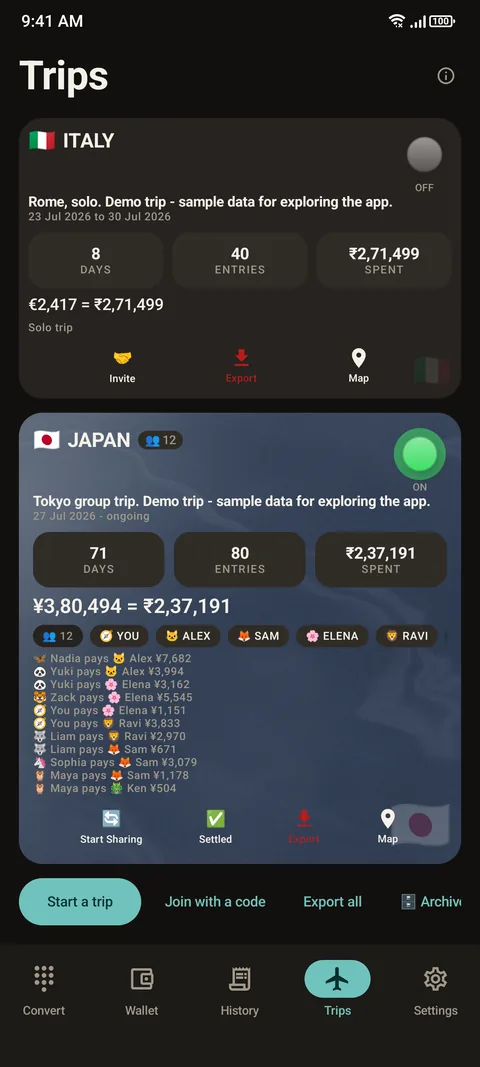
Set the daily budget in your trip. Then, whenever you convert a price, a small line shows what share of today's budget it is. Tap Save, pick a category and whether you paid by cash or card, and the expense is filed under today.
Cash in hand
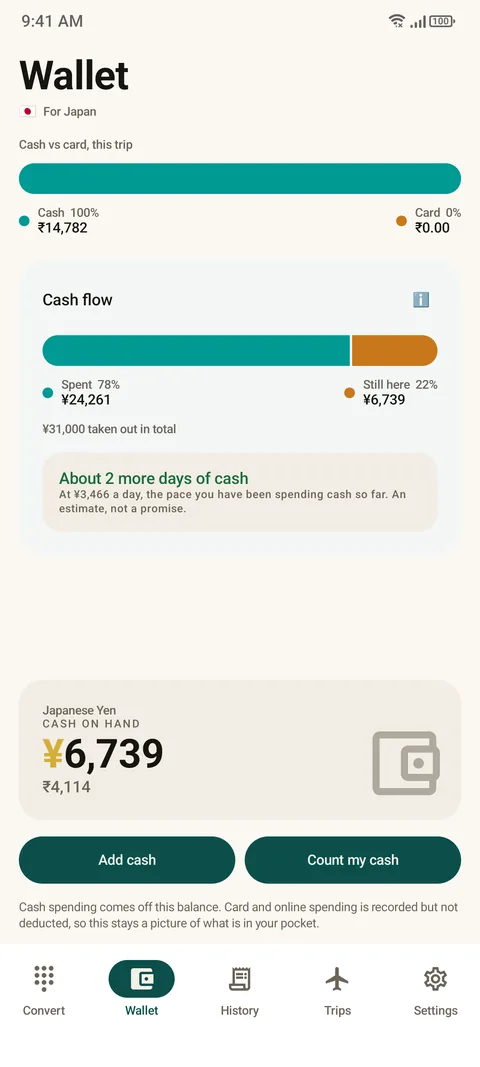
Add the cash you withdrew to your wallet. Each cash expense you save counts it down, so you can see what is left in your pocket. The wallet also shows how much of your spending was cash and how much card. Count my cash lets you reconcile the app with what is really in your pocket. The pace of spending gives a rough estimate of how many more days the cash will last, and it is labelled as an estimate, not a promise.
Review the pattern
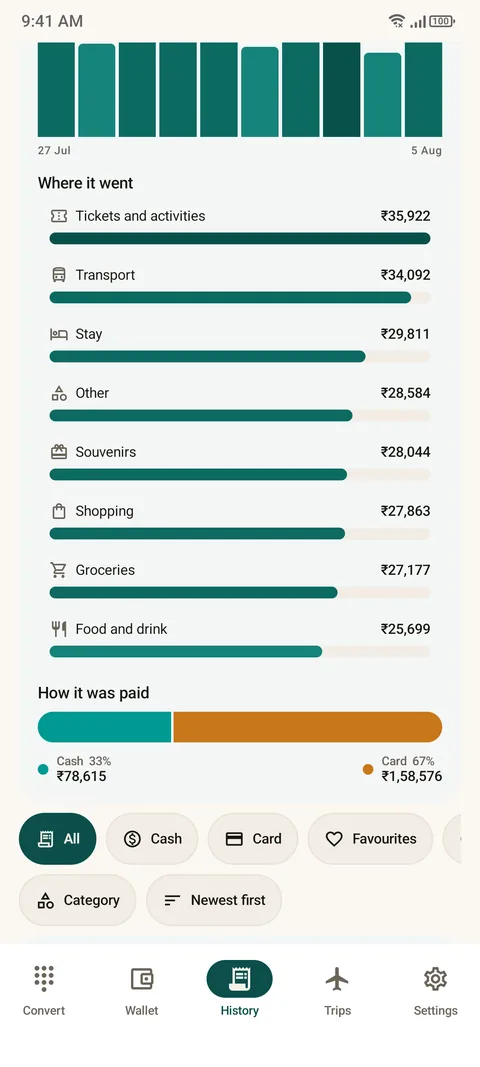
The History tab sorts spending by day, by category and by how you paid. At the end of day three you may see that food is 40 percent and shopping is 5. That is a conversation with yourself, not a spreadsheet. See how to export a trip.
Four rules that keep it honest
- Save the expense when you spend it, not at night.
- Use the same home currency for every number.
- Keep card fees in. See card fees explained.
- Treat the budget as a guide. One expensive day is fine if the trip stays on target.
Questions people ask
How do I set a daily budget for a trip?
Take your total budget, subtract fixed costs such as flights and hotels and a buffer, and divide by the number of days.
How do I know if I am overspending abroad?
Compare each price with today's budget. Here & Home shows what share of the daily budget each converted price uses.
Can the app track cash separately from card?
Yes. Cash expenses come off your cash in hand, and the wallet shows the cash and card split.
What does Count my cash do?
It lets you reconcile the app with the real cash in your pocket.
Is the days-of-cash figure exact?
No. It is a rough estimate from your spending pace, not a promise.
Do I need an account?
No. Your expenses stay on your phone unless you share a trip.
Keep reading
Spend with confidence
Here & Home is free on Google Play. Budget, cash and card in one trip.

For reference. Steps and screens described here are as they appear in Here & Home, and menu names can differ between versions of Android and the app. Exchange rates and prices in examples are illustrative, and rates in Here & Home are indicative, updated periodically and not financial quotes. Emergency numbers, phrases, country facts and survival tips are general information given on a best-effort basis: check them before you travel, and do not rely on any app alone in a life-threatening emergency. Here & Home is a field companion, not a financial or emergency service. Trademarks are those of their owners and are used only to describe what the app works with.