WhatsApp is a messaging app, not file storage. It keeps copies on its servers only briefly, so a file that is not on your phone may be impossible to download later. If the sender still has it, ask them to resend. To avoid the problem, save every file you might need as soon as it arrives: open it, tap Share, and pick SaveLocal.
Why a file becomes unavailable
WhatsApp delivers files through its servers, but it is not built to keep them there. Once a file has been delivered, WhatsApp does not hold on to it for long, and the copy that matters is the one on your phone. A file can show as unavailable or fail to download for several reasons:
- You never downloaded it, and later it is no longer on the server.
- The sender deleted it, or deleted the message.
- You cleared a chat, or deleted media to free space, and the file went with it.
- The phone was changed or reset, and a backup restore did not bring the file back.
How to get it back
- Check the phone first. Look in the WhatsApp media folders, as in where WhatsApp files are stored. The file may still be there.
- Check other chats. The same file may have been shared in a group or forwarded to someone else.
- Ask the sender to resend it. This is the most reliable fix.
- Ask for another route. Email or a cloud link works when the chat does not.
No app can bring back a file that WhatsApp no longer holds and that is no longer on your phone.
The habit that prevents it
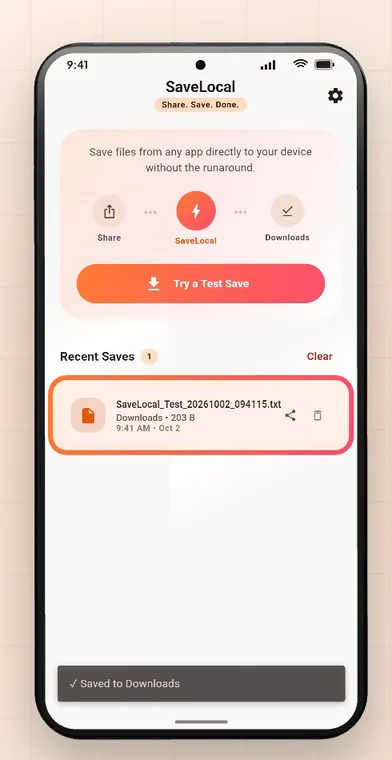
Save the file the day it arrives. With SaveLocal that is two taps: open the file, tap Share, pick SaveLocal. It is copied to your Downloads folder with its original name, and you are back in the chat. Then you have a copy that does not depend on WhatsApp keeping it. See how to save WhatsApp files.
Which files to save
| Save straight away | Probably not needed |
|---|---|
| Invoices, quotes and contracts | Memes and forwarded videos |
| Tickets, bookings and boarding passes | Good-morning images |
| Documents for school, work or the bank | Duplicate photos |
| Photos from family events and trips | Voice notes you have already heard |
| Anything a client or a colleague sent for a job | Large videos you can find elsewhere |
New phone or restored backup
A chat backup is mostly about messages, and it does not always bring every file back. Before you change phones, save your important files to a normal folder you can copy across, and check them on the new phone. SaveLocal is not a backup service, so copy the saved files to a cloud drive or a computer as well.
Questions people ask
Why does WhatsApp say a file is no longer available?
The file was not downloaded to your phone and WhatsApp no longer has a copy, or the sender deleted it. WhatsApp keeps files on its servers only briefly.
Can I recover an expired WhatsApp file?
Not from WhatsApp itself. Check your phone's media folders, other chats, or ask the sender to resend it.
How can I make sure I always have my files?
Save each important file as soon as it arrives. In SaveLocal, open the file, tap Share, and pick SaveLocal.
Will deleting a chat delete its files?
It can, depending on your settings. Save important files before you clear or delete a chat.
Does SaveLocal back up my files?
No. It saves a copy of what you share to your phone. Keep separate backups of anything important.
Do I need an account to save a file?
No. There is no account and no sign-in.
Keep reading
Never ask "can you send that again?"
SaveLocal is free on Google Play. Save it the moment it arrives.

For reference. Steps and screens described here are as they appear in SaveLocal, and menu names and folder paths can differ between phone makers and versions of Android and WhatsApp, so check them on your own phone. SaveLocal saves what another app shares with it, so the result depends on what that app allows. It is not a file manager and not a backup service, so keep separate copies of anything important. You are responsible for having the right to keep the files you save. WhatsApp, Telegram, Gmail, Chrome and other app names are trademarks of their owners and are used only to describe what SaveLocal works with.