Here & Home is a free Android 12+ travel app. A home screen widget opens a three-second price converter, Trips and Wallet track expenses and cash, History shows where the money went, groups split costs fairly, and Help and FYI hold emergency numbers, phrases, a survival kit and a country guide offline. No account is needed.
How do I get the widget on my home screen?
Finish setup, or tap Add the widget in Settings. It appears on your home screen as a clock. Here & Home needs Android 12 or newer.
How do I make the amounts mine?
Pick your home country. Everything is then calculated in your home currency.
What does this cost me?
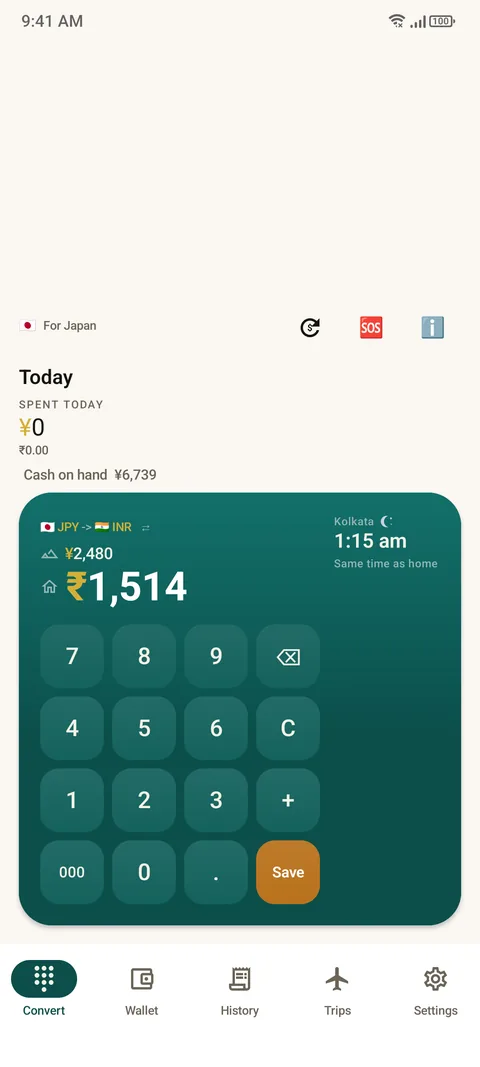
Tap the clock and the converter opens. Type the price, and the answer appears, even offline, using your last saved rates. The rate's age and source are on screen. See how to convert from the home screen.
Is that the real price?
The market rate sits on top. Card fee, tax and tip are added underneath, kept apart. See card fees explained.
Is that a lot?
A small line shows what share of today's budget it is. Set the budget in your trip. See how to set a daily budget.
How do I remember what I spent?
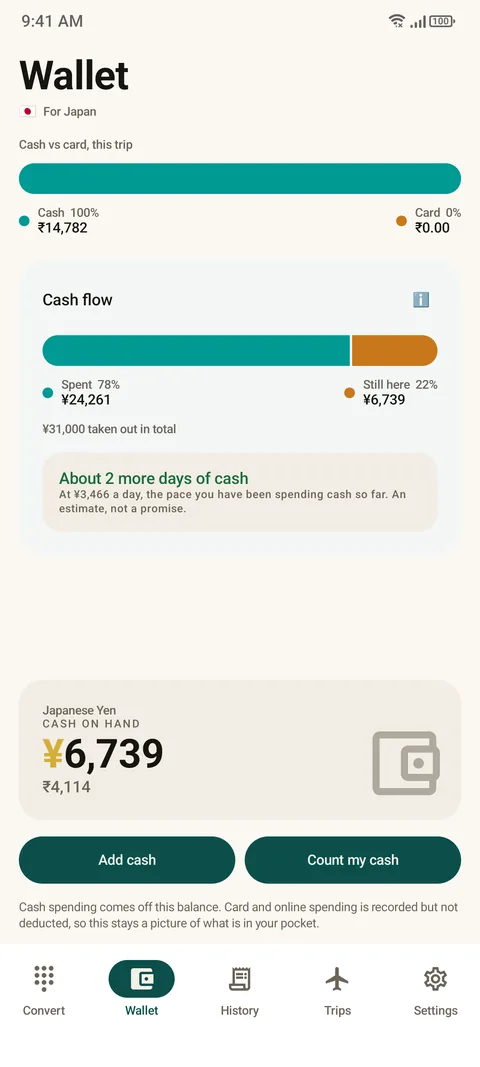
Tap Save, pick a category, and it lands in your trip, with cash tracked in hand. A trip is made for each country automatically. The five tabs are Convert, Wallet, History, Trips and Settings.
How do I share costs with friends?
Invite them with a code, mark each expense as shared or private, and settle up. See how to split trip expenses. Fall-in lets you raise a meeting pin with a time window, which everyone on the shared trip sees with their distance, and it expires on its own. It is a rally signal for your group, not an emergency service.
How do I see it all?
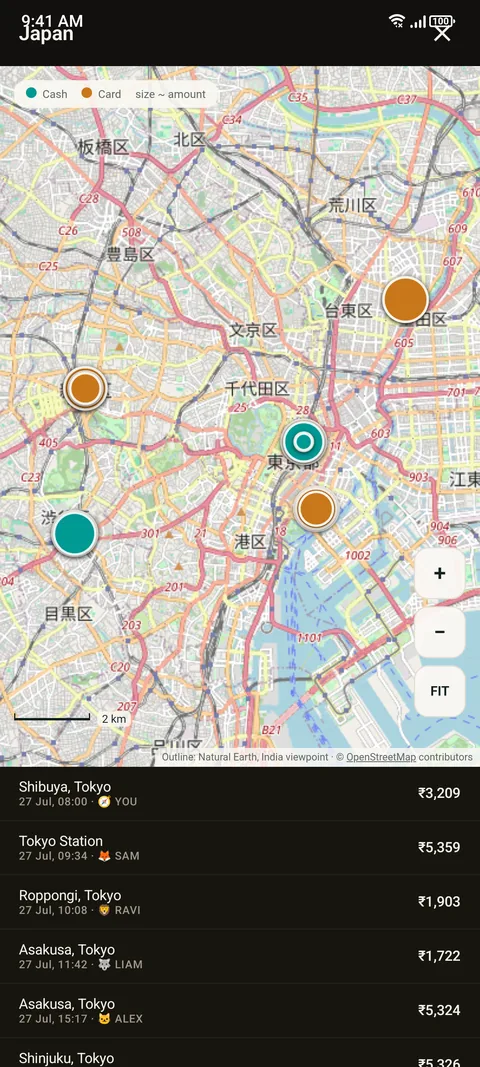
Switch to Advanced in Settings for History and Wallet: spending by day, cash in hand and where you spent. Location-tagged entries appear on an OpenStreetMap page inside the app. You can export a PDF statement, CSV, KML or a ZIP. See the export guide. Simple mode is three tabs, solo trips only.
What does the widget do when I am not converting?
It stays a clock: two time zones, a good time to call hint, and a weather timeline. See time difference and calling home.
What if something goes wrong?
Tap Help for emergency numbers, phrases that speak aloud, a flashlight, a compass and a level. FYI has the country guide. They are saved offline. See emergency numbers, the survival kit and the country guide.
Questions people ask
What is Here & Home?
A free Android travel app with a home screen converter widget, an expense tracker for solo or group trips, a dual clock with weather, and an offline Help and FYI guide.
Which Android versions does it need?
Android 12 or newer.
Does it work offline?
Yes. The converter uses saved rates, and Help and FYI are bundled on the phone.
Do I need an account?
No. Your expenses stay on your phone unless you share a trip.
Is it free?
Yes. It is supported by ads, with no ads for the first 15 days after install, and a rewarded video buys 30 ad-free minutes.
What is the difference between Simple and Advanced mode?
Simple mode has three tabs and solo trips only. Advanced adds History, Wallet, groups and more.
Keep reading
Take the tour on your phone
Here & Home is free on Google Play. Android 12 or newer.

For reference. Steps and screens described here are as they appear in Here & Home, and menu names can differ between versions of Android and the app. Exchange rates and prices in examples are illustrative, and rates in Here & Home are indicative, updated periodically and not financial quotes. Emergency numbers, phrases, country facts and survival tips are general information given on a best-effort basis: check them before you travel, and do not rely on any app alone in a life-threatening emergency. Here & Home is a field companion, not a financial or emergency service. Trademarks are those of their owners and are used only to describe what the app works with.